The app
Structure: parts & chapters
The outline of your book — parts and chapters, with word counts, targets, and status at a glance. It's the map of the manuscript, not the world inside it.
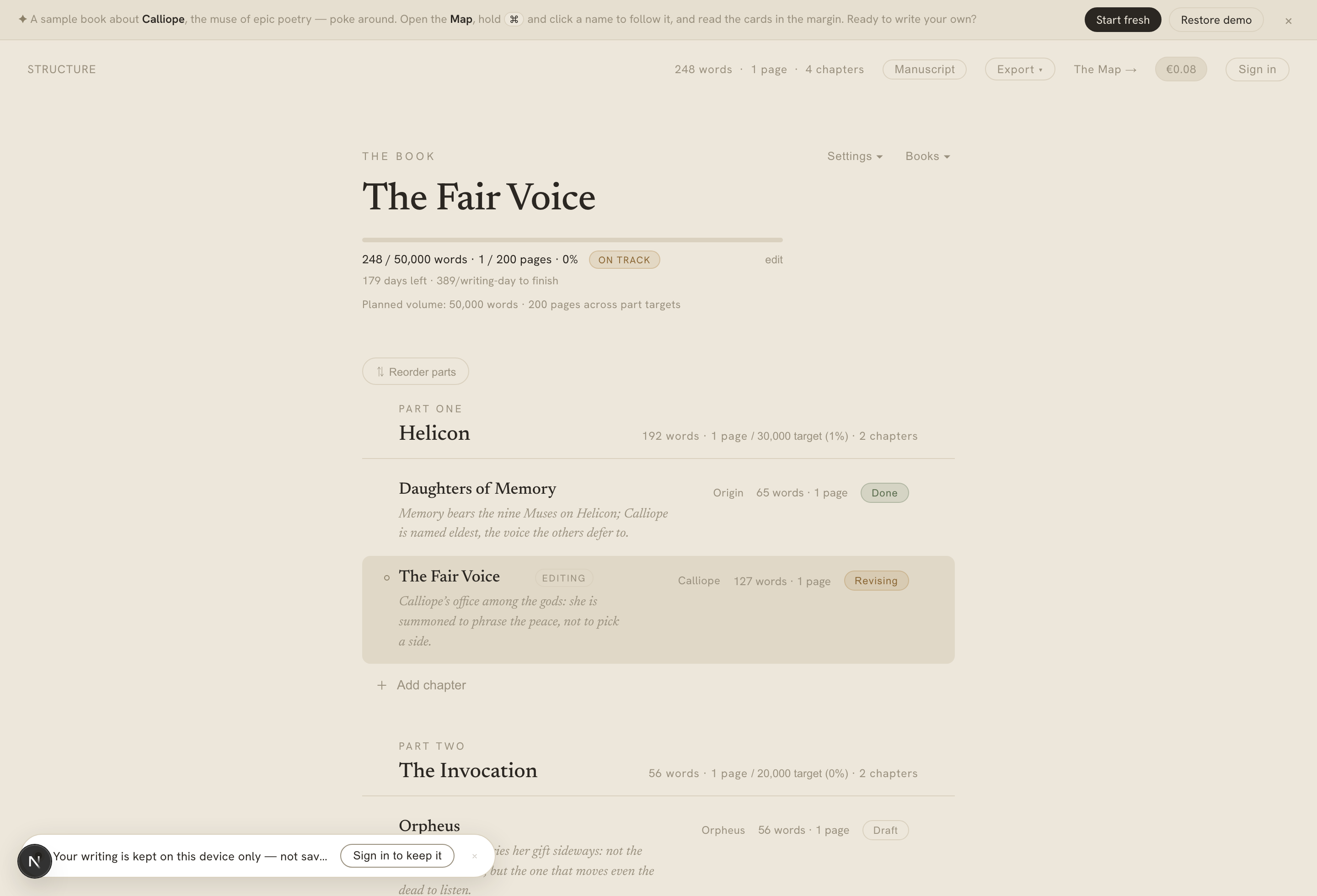
The structure view — the book goal up top, then parts as sections and chapters as rows, with words, page counts, targets, and status.
On this page
Your book is organised as parts, each holding chapters. The structure view is the outline of that: parts as section headers, chapters as the rows beneath them, in reading order.
Parts and chapters
- Parts are the top-level sections. They auto-number by position — Part One, Part Two — and take an optional title you can edit inline. You don’t manage the numbers; they follow the order.
- Chapters are the units you write in. Each carries a title (optional — an unnamed chapter shows its number), a status, a synopsis, and a word count. Clicking a chapter opens it in the editor.
Each part header rolls up its contents: total words, chapter count, and — if you’ve set one — progress against its target, shown as words / target (%).
Adding a chapter, quickly
+ Add chapter creates a new, unnamed chapter and drops you straight into the editor to write — no naming step, no dialog. The chapter shows its position number until you give it a title, and the numbers renumber themselves whenever you reorder or delete. It’s built for momentum: the fastest path from “I have an idea” to a cursor on a page.
Chapter status
Every chapter has a status you cycle through as it matures:
- Draft — being written.
- Revising — written, being worked over.
- Done — finished, for now.
The status shows as a pill on the chapter row, and the chapter you’re currently editing is tagged so you can find your place.
Synopses and the stale marker
A chapter can carry a synopsis — a short summary that shows in the outline. Even a brand-new chapter offers both doors: write it yourself by hand, or let Calliope draft one for you — and either way you can edit or regenerate it afterwards. When you later edit the chapter’s prose, Calliope notices the synopsis no longer matches and marks it stale with a small hollow dot in the outline gutter. Regenerating or re-approving the synopsis clears the mark. It’s a quiet nudge that your summary has drifted from the text — never a correction.
Reordering
Chapters drag to reorder within and across parts. To rearrange the parts themselves, flip on Reorder parts: the chapters collapse and the parts become compact draggable rows, so you can move whole sections without the noise of every chapter in the way. Toggle it off and the full outline returns in the new order. Reordering parts never disturbs the chapter order inside them.
Print format and page counts
Because “how long is this, really?” is a book question, not a word-processor question, the structure header carries a print format picker — Manuscript, Mass-market, Trade (a few trims), Hardcover. Pick one and Calliope shows page counts alongside word counts everywhere they appear, using that format’s words-per-page. The choice is per-book and persists. (It’s an estimate for planning, not a typeset proof — see Export for producing an actual file.)
Reviewing the whole book
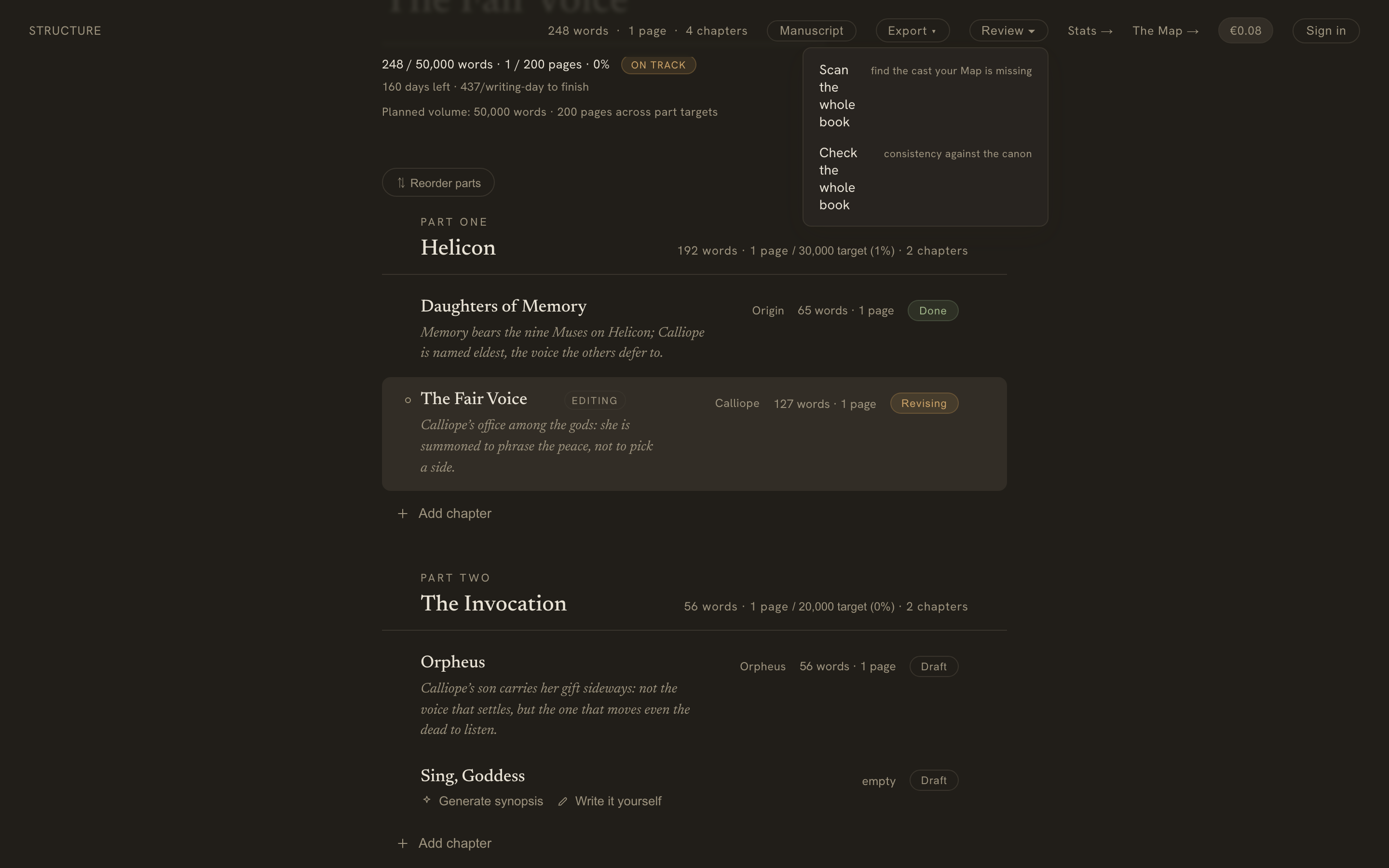
Calliope’s two AI review passes — finding your cast and checking your canon — usually run a chapter at a time. From the structure header’s Review menu you can run either across your whole manuscript at once.
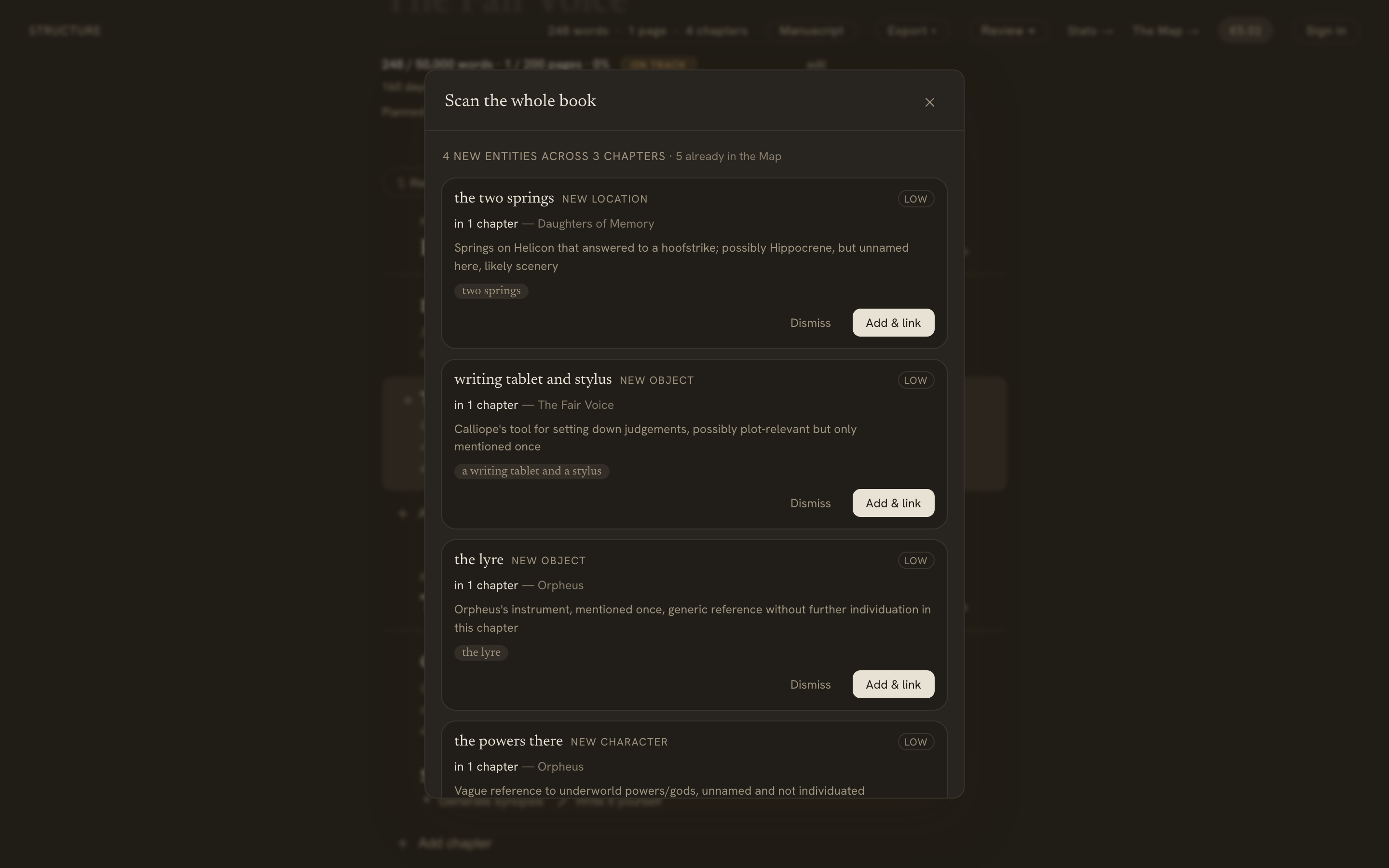
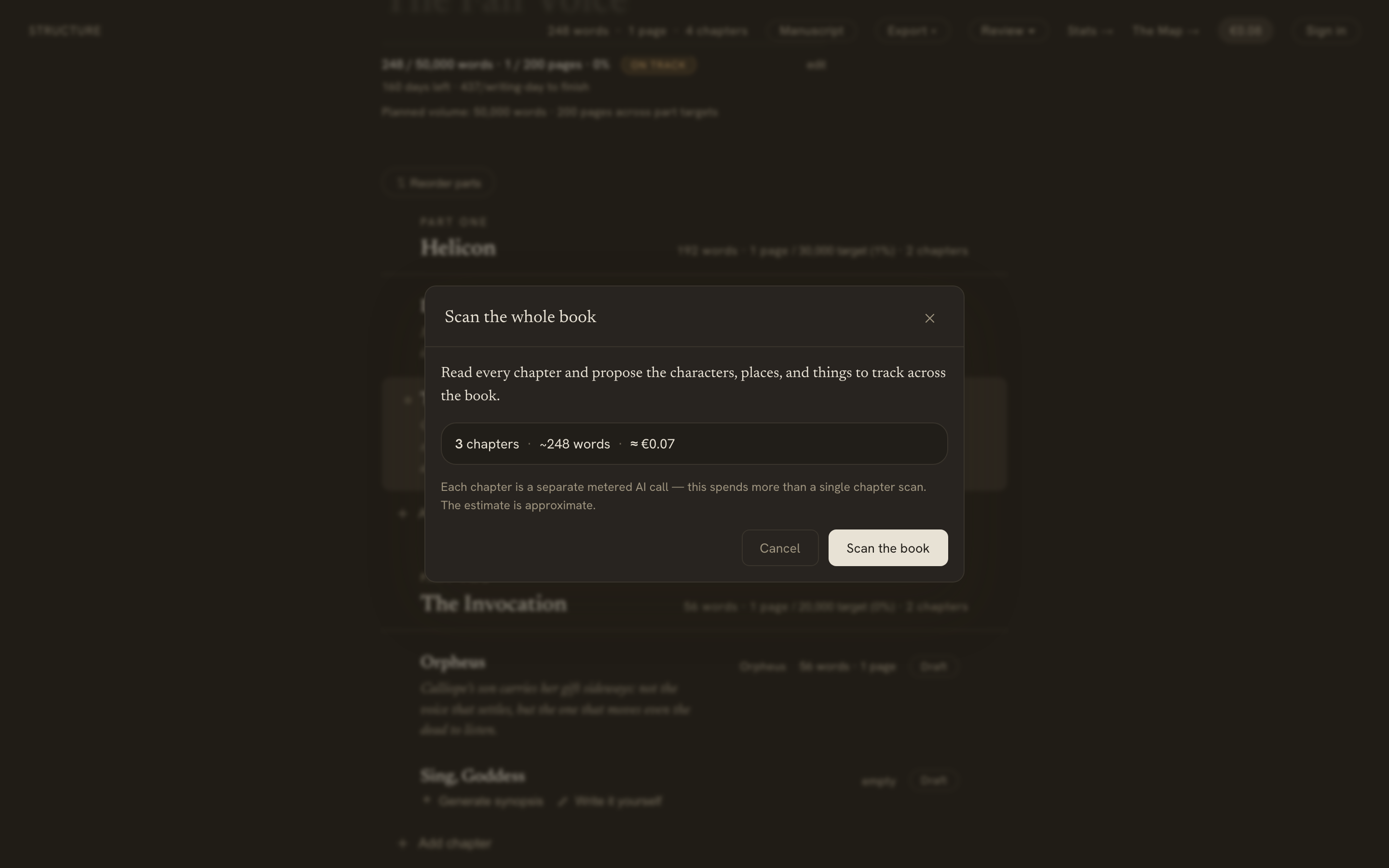
Scan the whole book reads every chapter and proposes the characters, places, and things worth tracking — de-duplicated into one entry per entity, each showing how many chapters it appears in. Add the ones you want with Add & link and they join your Map.
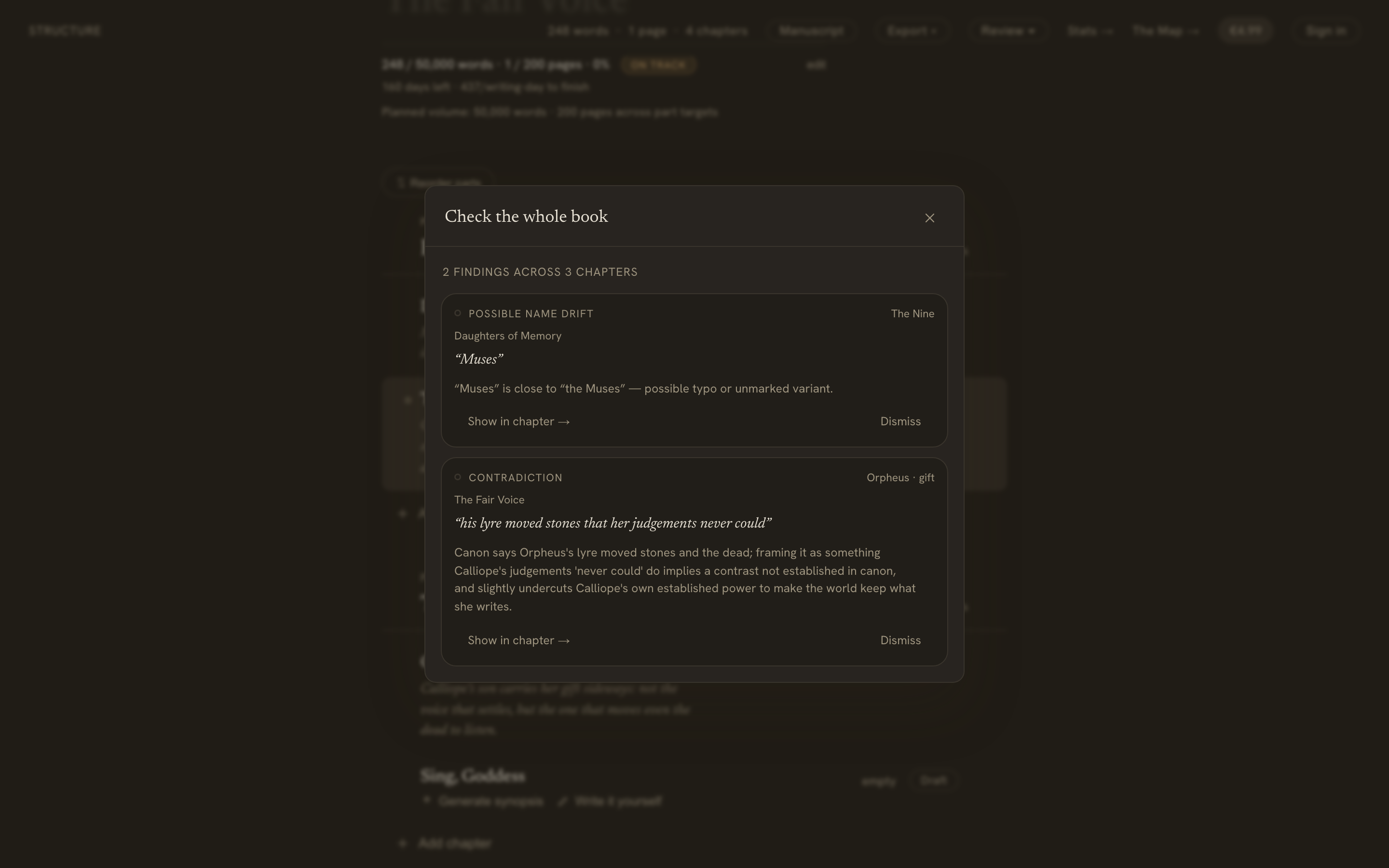
Check the whole book reads every chapter against your Map and lists everything that conflicts — grouped by severity, each with a Show in chapter → that jumps to the exact sentence. It catches the contradictions that span chapters, which a single-chapter check can’t see.
Because a whole-book pass reads every chapter, it uses more credits than a single scan. Calliope shows you the number of chapters and an estimated cost before it starts — each chapter is a separate metered call — you can Stop at any point, and it keeps whatever it has already found (if you run low on credits it stops on its own, with no half-charged surprise).
Detection only ever proposes, so you choose what to add; the check changes nothing in your book. It works whether you’re signed in or writing anonymously, and spends credits the same way the per-chapter entity detection and consistency check do.