The app
Getting started
Open Calliope and you're already writing. No sign-up wall, no empty-project dialog — just a page.
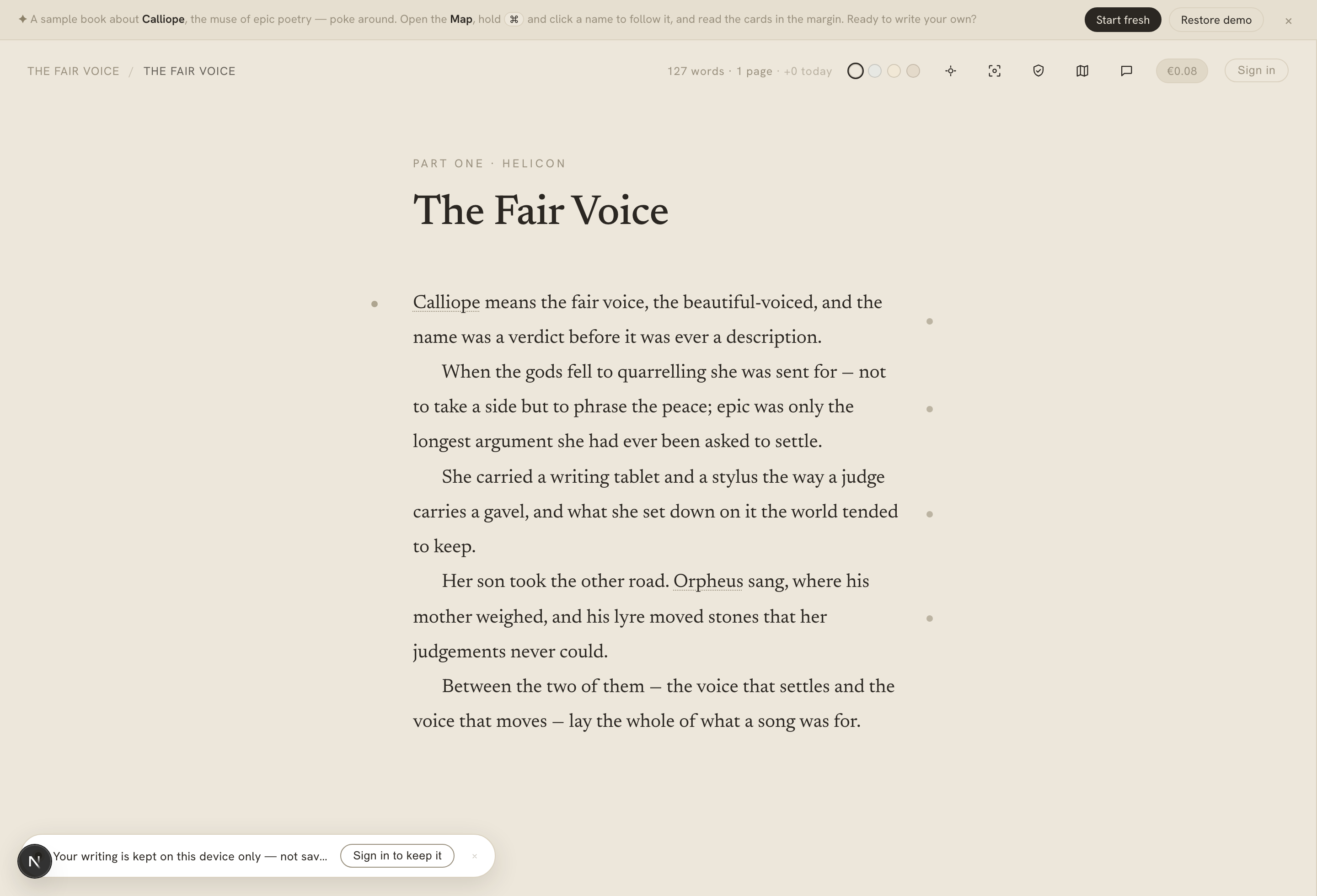
A first visit — the sample book "The Fair Voice" open in the editor, with a calm reminder that nothing's saved to an account yet.
On this page
Write first, sign up later
Calliope is editor-first. The first time you arrive, you land directly in the editor on a book of your own, saved in your browser. You can write a whole chapter before you ever think about an account.
While you’re writing anonymously, your work lives in your browser’s local storage — not on Calliope’s servers. A calm notice sits at the bottom of the screen to say so:
Nothing is saved to your account yet. Create one to keep your work.
Nothing you write is lost when you sign up — see Keeping your work below.
The sample book
A first-time visitor doesn’t stare at a blank page. Calliope opens on a short demo book, The Fair Voice — a small, self-referential story about Calliope the muse — so you can see how the whole app behaves with real content in it:
- parts and chapters across every status (done, revising, draft), including one deliberately stale synopsis and one that’s missing;
- a Map already populated with linked characters and places (Calliope, Mnemosyne, Orpheus, Mount Helicon) and their mentions in the prose;
- seeded marginalia — notes, to-dos, references, research, and a saved chat thread;
- a final empty chapter that hands the pen to you.
Poke at all of it. When you want your own page, the Start over control offers Start fresh (a blank book) or Restore demo (put the sample back). Starting fresh doesn’t touch anything once you’ve signed in and have books of your own.
Keeping your work
When you’re ready to keep your writing across devices — and to use the AI features — sign in with Google. On your first sign-in, Calliope imports your local draft as a new book on your account, then clears the local copy. Nothing you wrote before signing up is lost, and it sits alongside any books you already own. (An untouched demo isn’t imported — only real work you’ve done.)
Once you’re signed in you can keep multiple books and switch between them freely.
Bringing in an existing manuscript
Already have a draft elsewhere? Signed in, the New book flow offers Import — bring a manuscript in from Word (.docx) or Markdown (.md). Calliope reads the file and uses its headings to split it into parts and chapters, then shows you a preview where you confirm or correct which heading level is a part and which is a chapter before anything is created — so a long manuscript lands already organised, not as one wall of text.
An imported book starts with an empty Map, so Calliope offers to scan it for its cast straight after the import — one optional tap, with the cost shown — so you can populate its characters and places without hunting for the feature.
What’s free, and what spends credits
The core of Calliope is free, forever:
- writing, editing, and organising your book — the editor, structure, and Map;
- building your canon by hand, including merging duplicate facts;
- exporting your manuscript.
The features that call Calliope’s own AI — chat, consistency checks, entity detection, synopsis generation, card suggestions — spend credits, metered in euros and always shown before and as you use them. New accounts get a small allowance to try them. See Accounts, credits & billing for how that works.
Where to go next
- The writing canvas — the editor itself.
- The Map — how Calliope keeps your cast straight.
- The AI companion — what the AI does, and the one thing it won’t.