The app
Exporting your book
Your manuscript is yours to take out whenever you want — as Markdown, a Google Doc, Word, EPUB, or a typeset PDF. Every format is free.
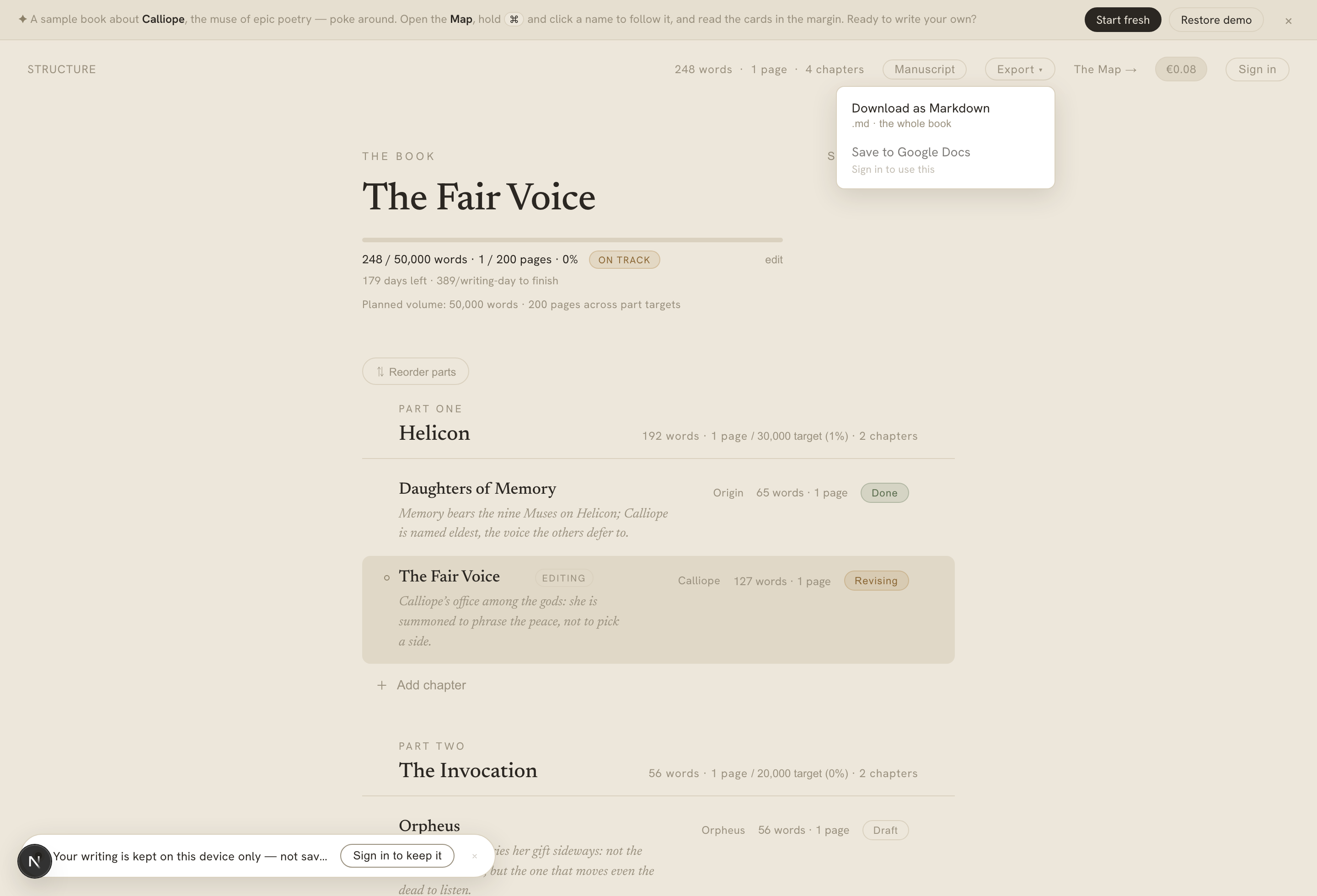
The export menu — Markdown and Google Docs shown here; Word, EPUB, and PDF appear once you're signed in.
On this page
Calliope isn’t a place your book gets stuck. From the Export control in the structure view, you can take the whole manuscript out in the format you need — and it never costs a credit or a subscription.
The formats
- Markdown — a clean
.mdof the whole book. Available to everyone, including while you’re writing anonymously. - Google Docs — creates a new document in your Google Drive. (You’ll be asked to connect Drive the first time.)
- Word (DOCX) — a standard manuscript: 12-point, double-spaced, one-inch margins, a title page, a running header, and chapter breaks — the format agents and editors expect.
- EPUB — a reflowable e-book with per-chapter contents and a navigable table of contents.
- PDF — a typeset PDF that respects your book’s print format: the page size, margins, and type scale follow the trim you chose, rendered through a real browser engine so it looks like a book, not a printout of a text box.
Markdown and Google Docs export cover the everyday round-trips; Word, EPUB, and PDF are available once you’re signed in.
How to export
Open the Export menu in the structure header and pick a format. Markdown, Word, EPUB, and PDF download to your device; Google Docs opens a new file in your Drive.
Good to know
- Export is free. There’s no credit cost and no subscription gate on any format.
- Google Docs creates a fresh document each time you export — there’s no live sync back into an existing Doc.
- Anonymous writers get Markdown export; the server-rendered formats (Word, EPUB, PDF) come with a signed-in account.
If you want to script exports — round-tripping your book to another editor and back — that’s what the Writer API is for.